SMARTER ONLINE SHOPPING
See clothes on yourself before you order online
The outfit looks great on the model. The question is whether you like it on you—before it arrives at your door.
You find a blouse online. The color looks right, the photos are convincing, and you can already imagine wearing it. A few days later, it arrives—and the look is nothing like you pictured. Now there is a return label, another parcel, and a purchase you wish you had skipped.
You cannot remove every surprise from online shopping. But you can get a better idea of the look before you order. AI virtual try-on combines a photo of you with images of clothes you are considering, creating a preview you can use alongside the product details and size guide.
The useful question: “Do I like this look on me?” A generated image can help you explore that. It cannot guarantee the right size or how the fabric will feel.
The model photo is a starting point
A product photo shows the piece in a particular outfit, pose, and lighting. You may love the styling without knowing whether you like the same color or combination on yourself. Ordering it just to answer that question means waiting for a delivery and potentially arranging a return.
A preview on your own photo gives you another reference. Instead of imagining the whole look, you have something concrete to compare. You might decide to keep considering the item, try a different color, or leave it out of your basket.
How to preview clothes on your own photo
- Start with a clear photo of yourself. Use even light, a natural standing pose, and a view that includes the area you want to dress. A full-body photo is useful for comparing a complete outfit. Avoid having another person or a large object cover your body.
- Add a clear image of the clothing. Choose a product image where the garment is easy to distinguish. Check that you selected the color and version you actually plan to order.
- Look at the combination, not just the item. A blazer can feel different with jeans than with tailored trousers. Preview the pieces together when the combination is what you are deciding on.
- Compare before you commit. Check the result against the original garment image. Consider the overall look, then return to the store to check measurements, fabric information, and the return policy.
SeeWear is being built around this workflow. It is currently in private beta; the example below shows the kind of preview, while public access is through the waitlist.
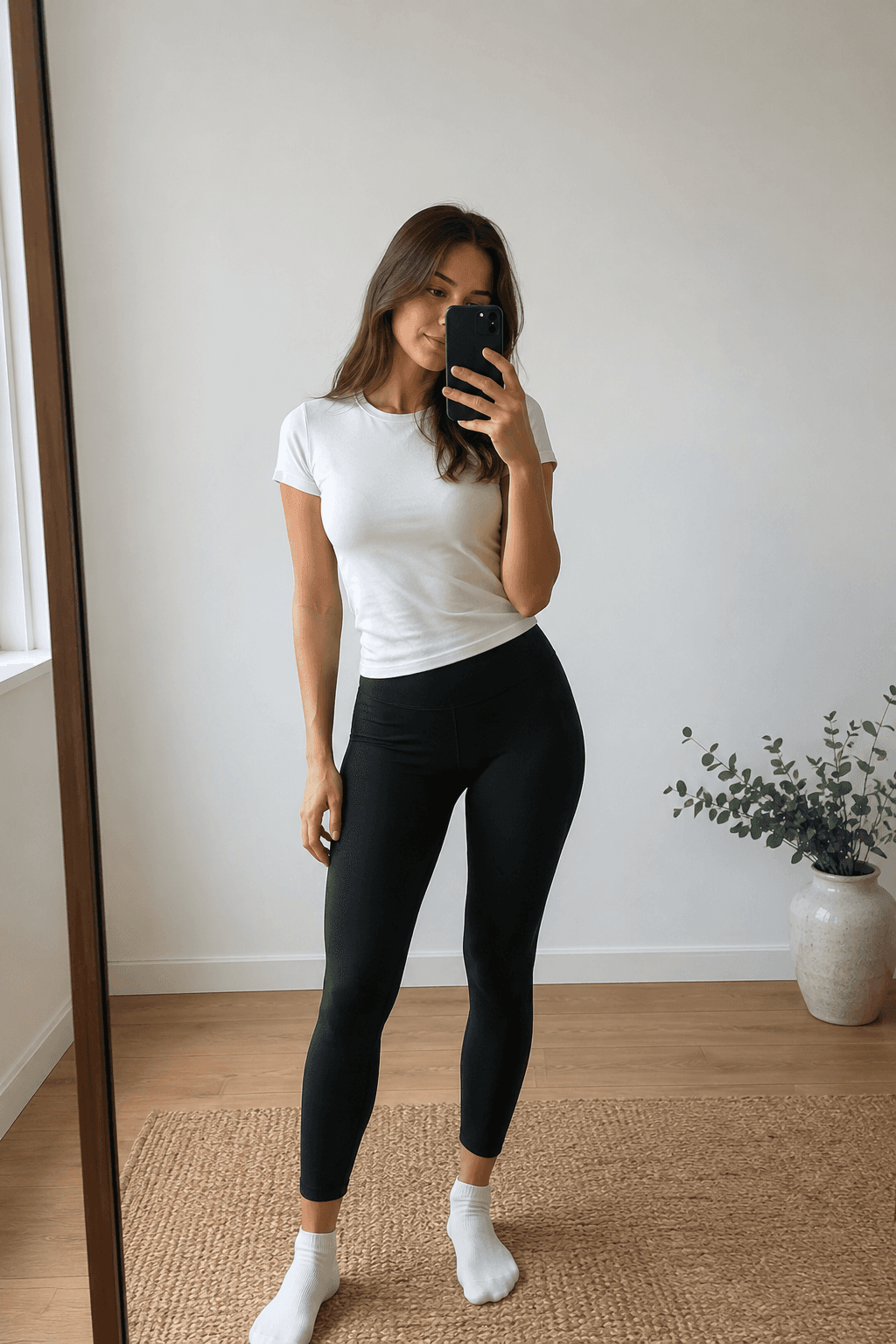
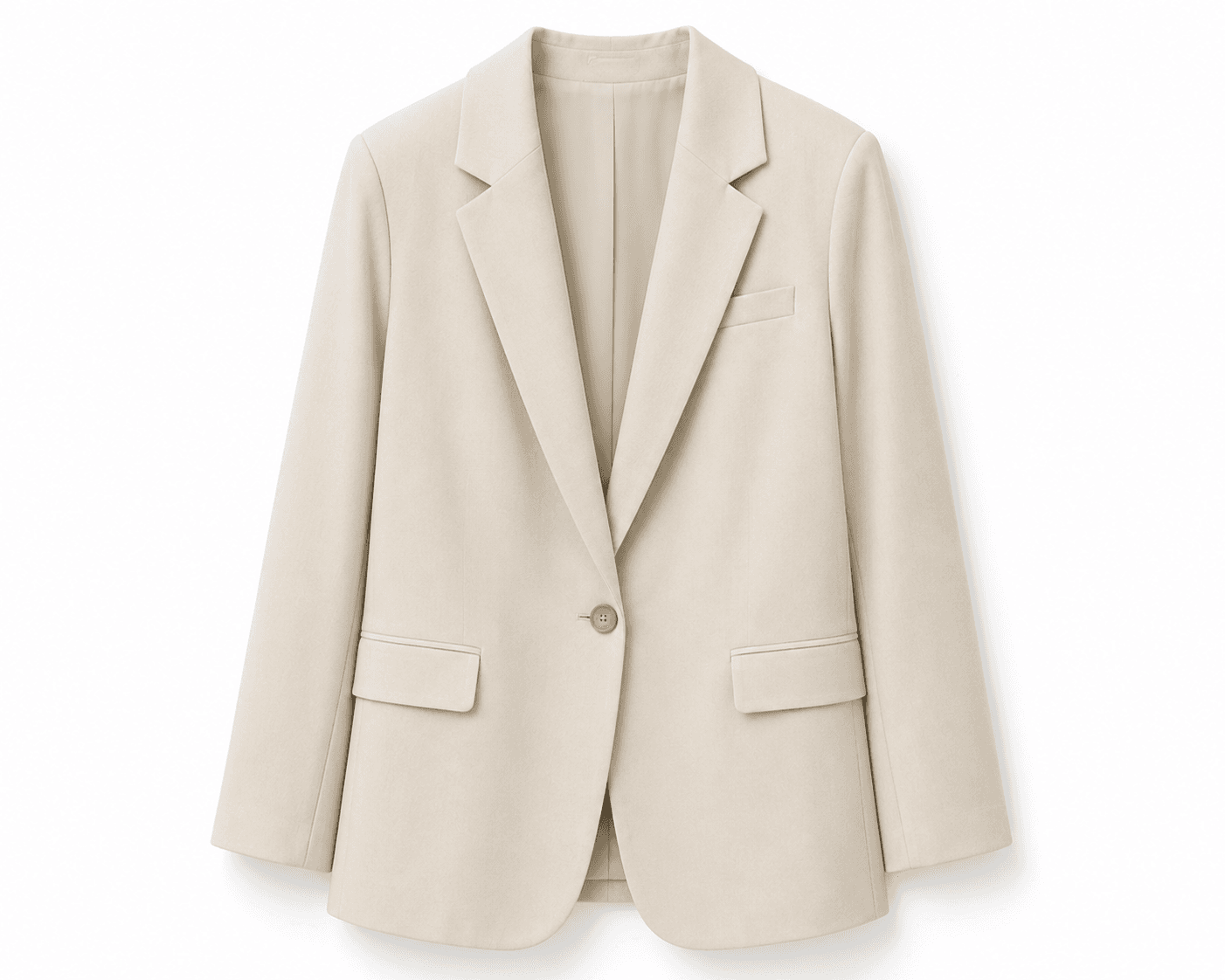
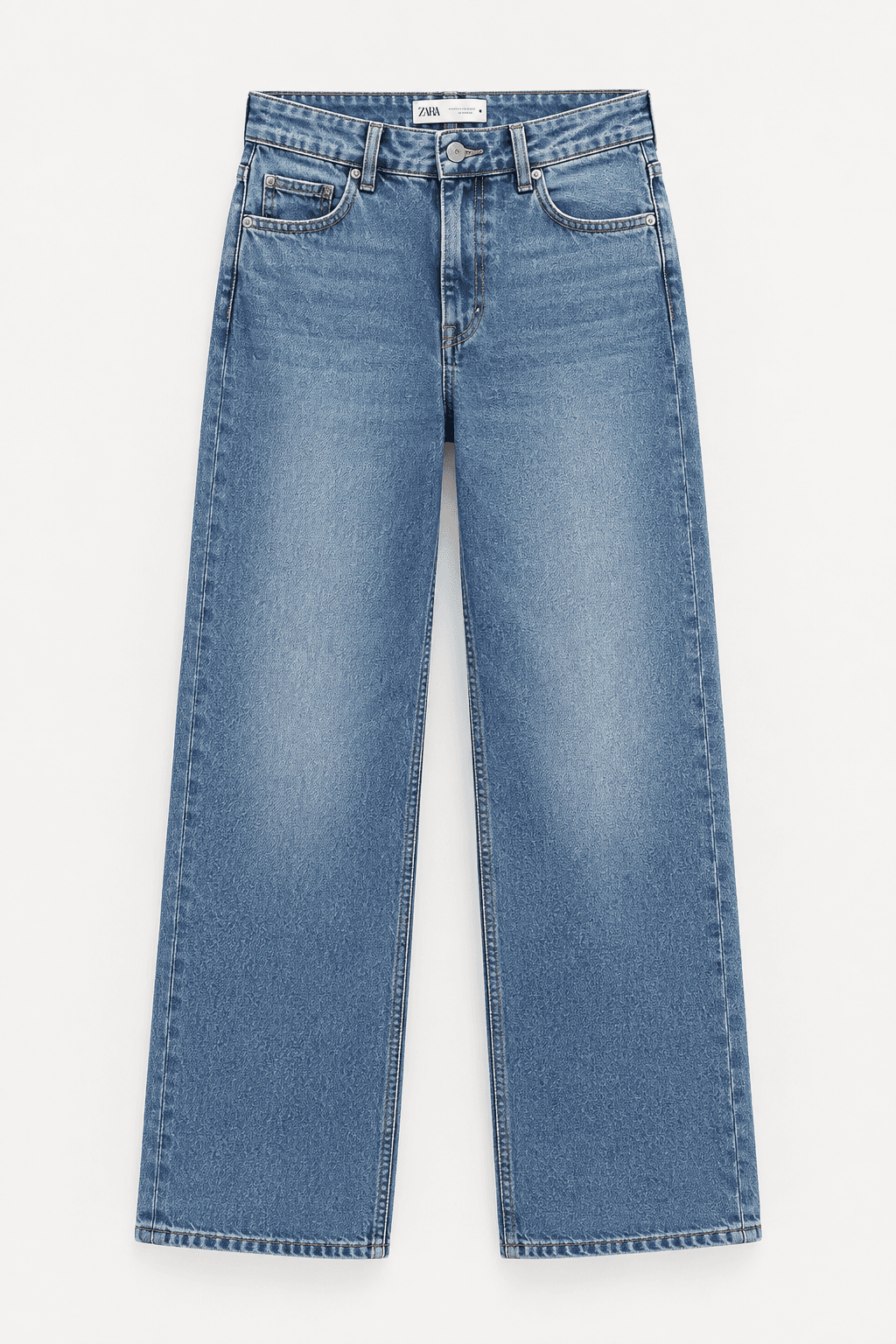
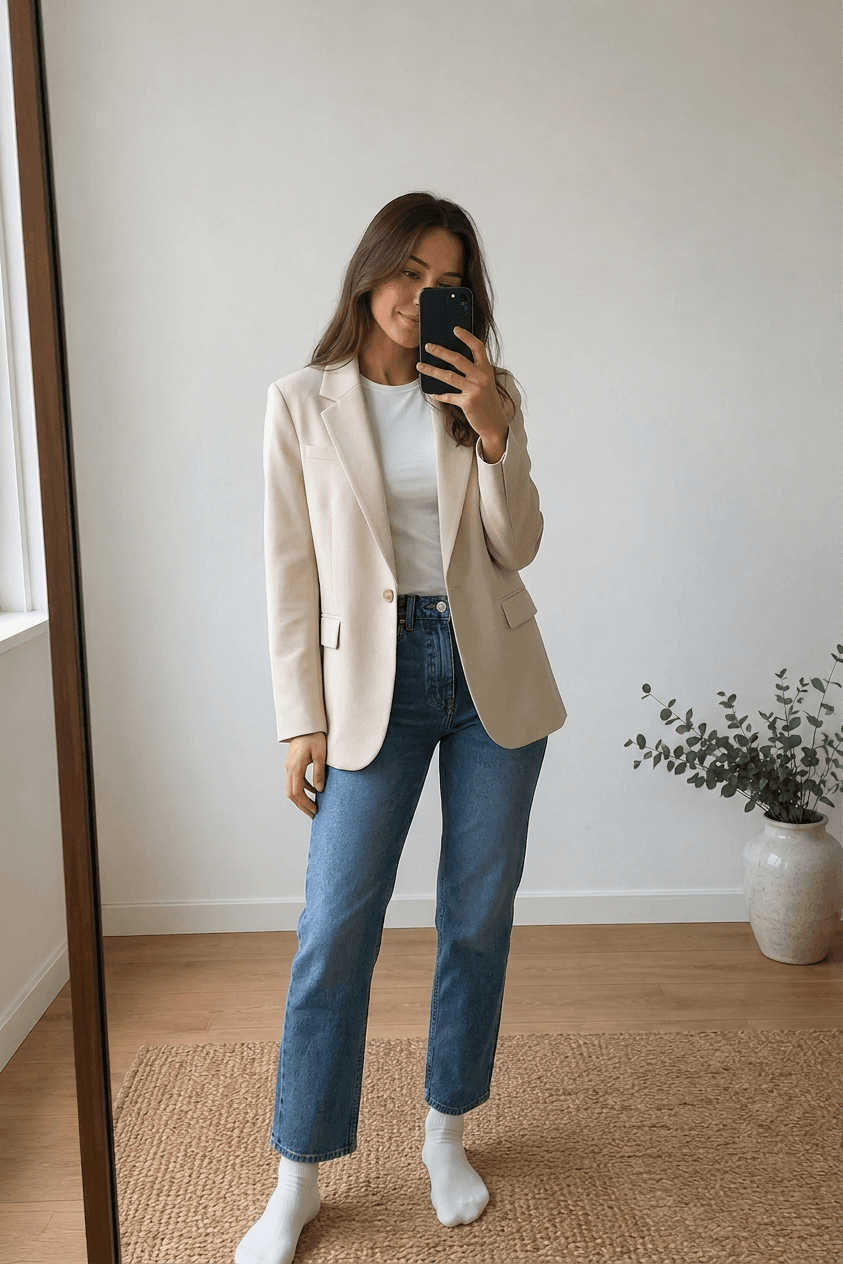
A SeeWear example: reference person + selected garments → generated preview. This is a visualization, not a photograph of a physical fitting or a guarantee of garment size.
Decide what is worth ordering
Imagine you are choosing a beige blazer. You like it in the store photos, but you mostly wear blue jeans. Seeing those two pieces together on your photo can help you decide whether that is a combination you actually want to wear.
Use the preview to narrow your choices. Compare a couple of options instead of treating every attractive product photo as a reason to order. You are looking for a clearer preference—not proof that the garment will fit perfectly.
Keep the look. Add the next piece.
The decision does not always happen in one shop or one browsing session. You might save a blouse from one store and find trousers somewhere else the next day. SeeWear is designed to keep your saved pieces and try-ons together, so you can come back to a look and explore another combination.
That makes the preview useful beyond a single purchase. A new piece can be considered alongside things you already own, rather than becoming another item with nothing to wear it with.
Shopping across several sites? Read our guide to combining clothes from different stores into one outfit.
What an AI preview cannot tell you
AI can make mistakes. It may change a pattern, a hemline, the shape of a garment, or details of your appearance. Compare important details with the original images, and do not use a generated silhouette as a body measurement.
- Size: check your measurements against the retailer’s size chart.
- Comfort: a picture cannot tell you whether a waistband feels tight or a fabric feels scratchy.
- Real-world color and drape: lighting, screens, fabric weight, and movement can change what you see.
A preview adds information to the decision. It does not replace those checks, and it cannot promise that you will never need to return something.
Before you press “order”
Ask yourself three things: Do I like the look on me? Can I picture wearing it with something I own? Have I checked the measurements and product details? If the answer to the first two is no, you may already have a reason to skip the purchase—before there is a parcel to send back.
Questions about preparing your photos? Visit SeeWear support. Read our Privacy Policy before sharing personal photos.